


Every space in your workspace. Booked.
Book desks, rooms, parking and shared assets. The way your workplace actually works.
Used by 2,000+ spaces and offices
-
 Rated 4.7/5 on Capterra
-
 Rated 4.4/5 on G2
-
 Rated 4.7/5 on GetApp
One booking system for your whole workspace
Different spaces. Different needs. One familiar way to book.
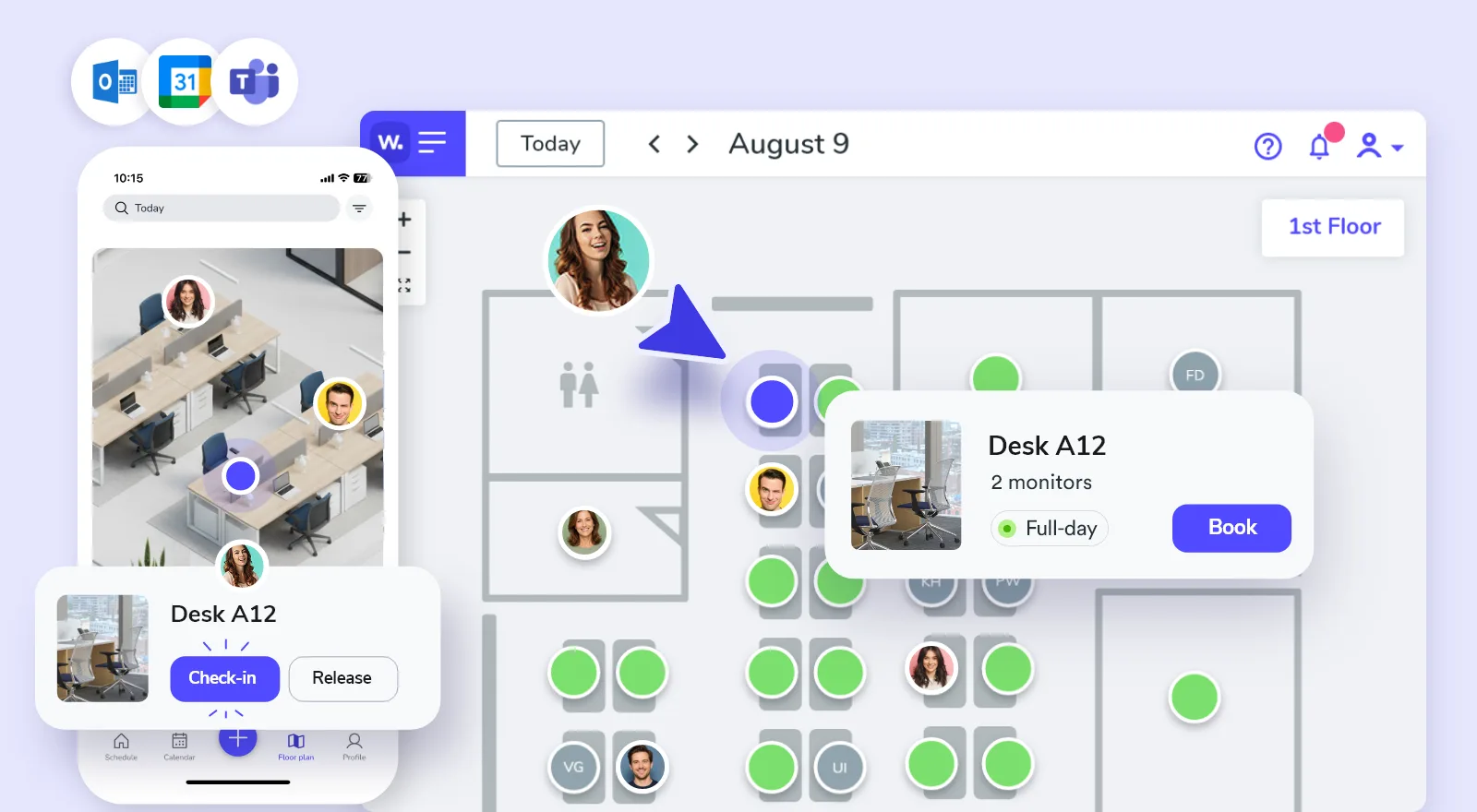
Make desk planning predictable.
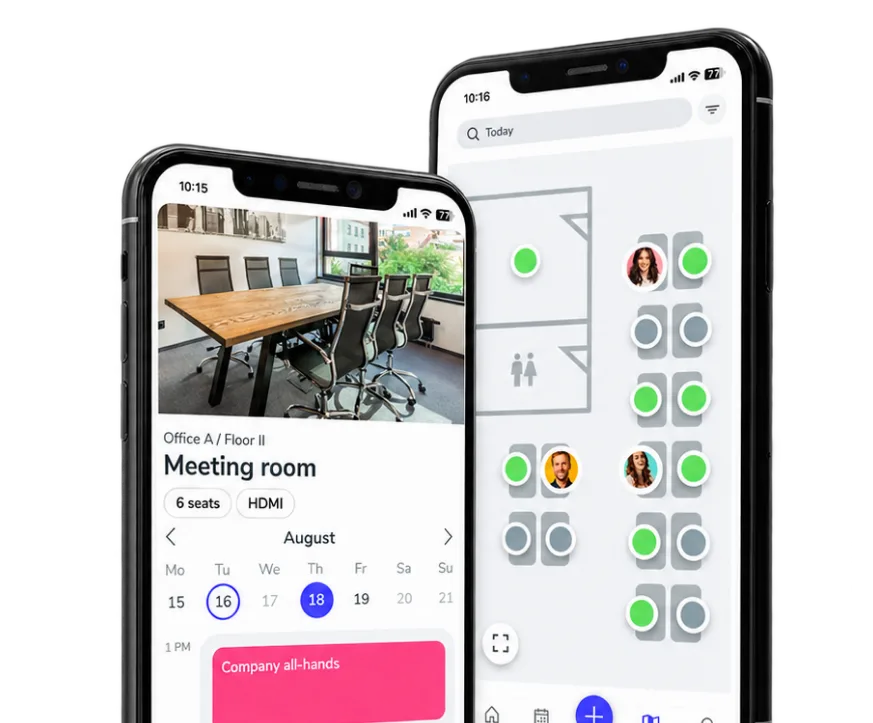
Employees see what's available, find where teammates sit and reserve the right desk before they arrive, while rules keep busy office days fair.
- Interactive floor maps
- Team visibility
- Check-in & auto-release
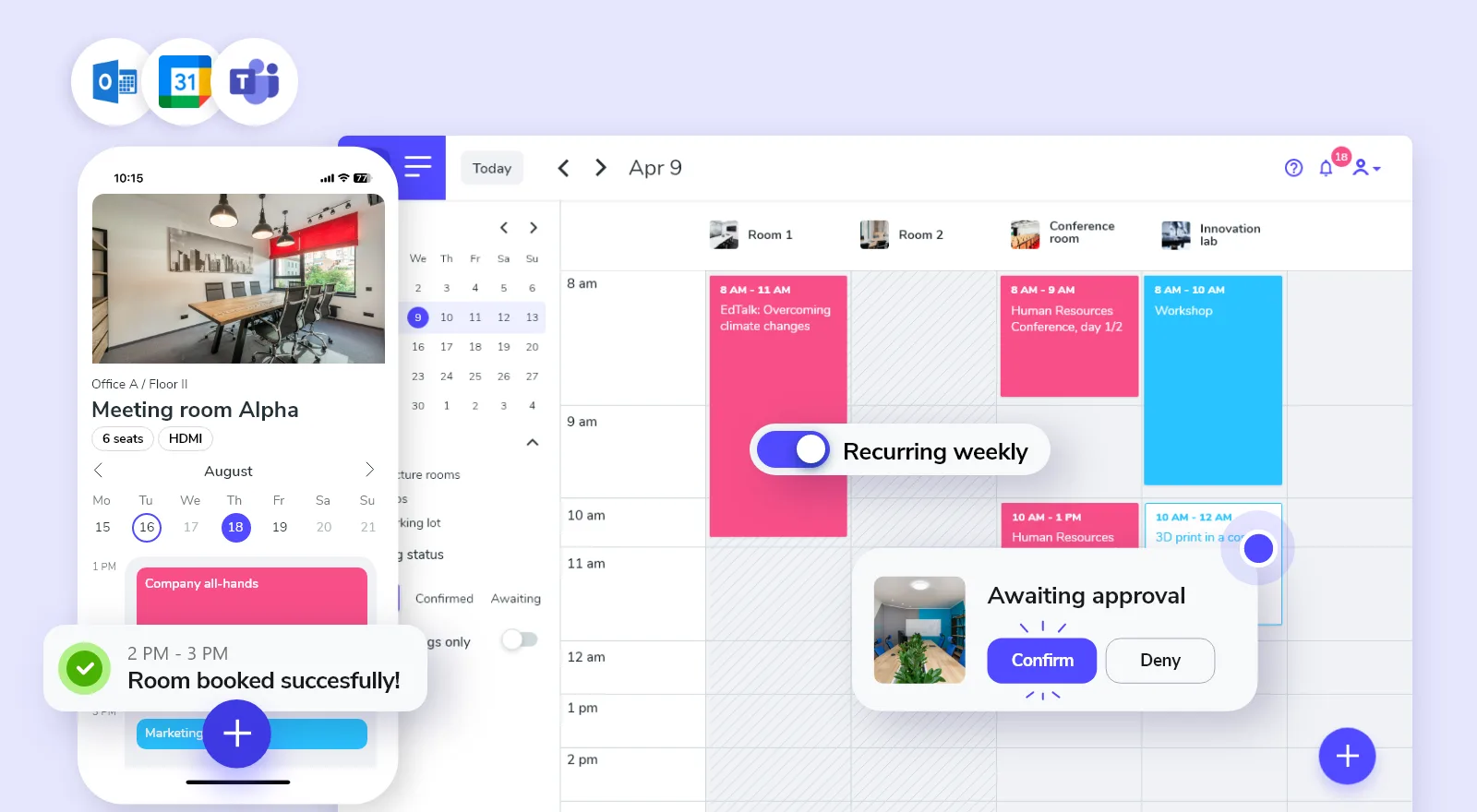
Book rooms without conflicts.
Employees find an available room, avoid calendar conflicts and book from the tools they already use.
- Recurring reservations
- Approval workflows when needed
- Microsoft and Google calendar sync
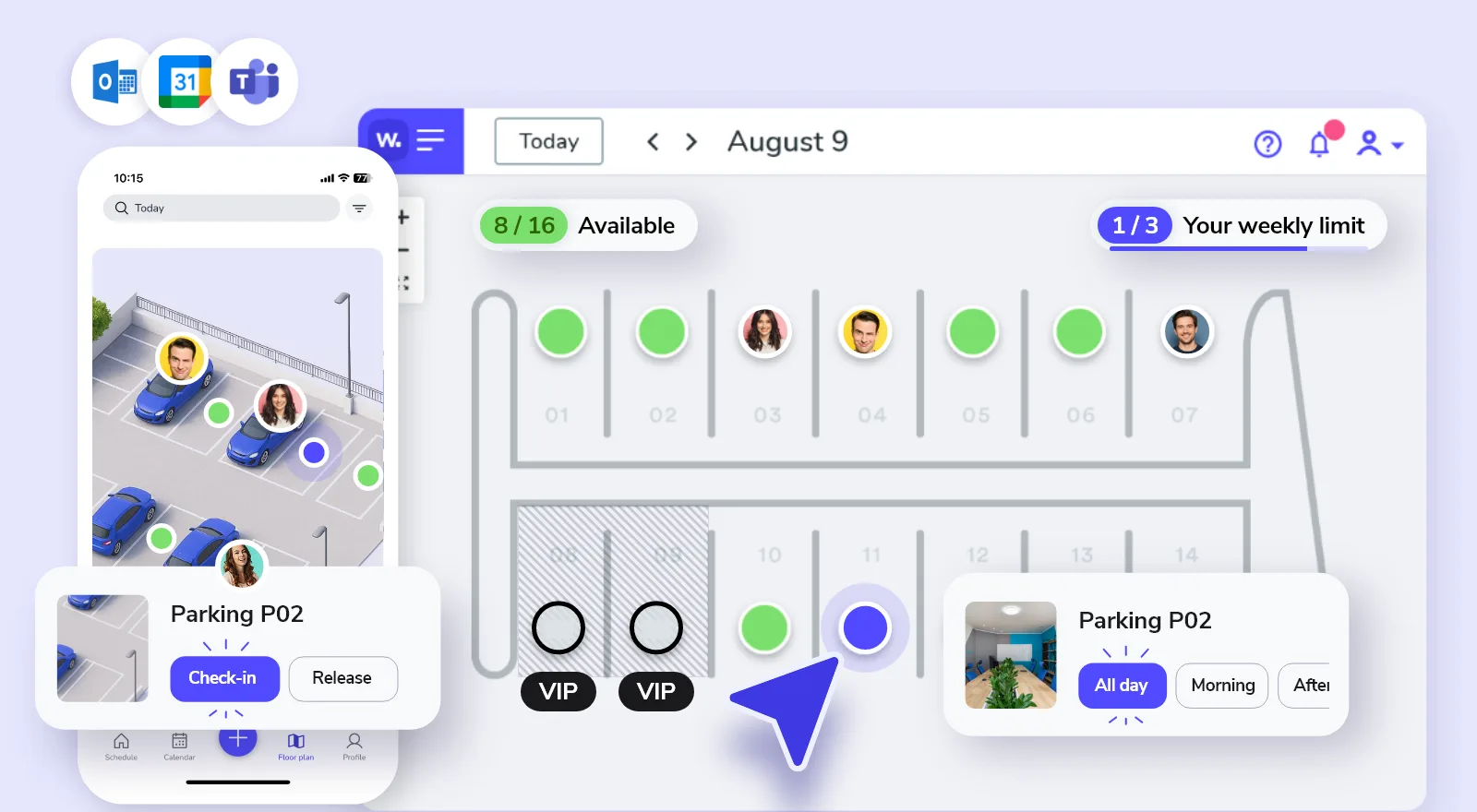
Share parking fairly.
Employees reserve parking before they commute, while booking rules help manage the busiest office days.
- Interactive parking maps
- Fair booking limits for busy days
- Access by team or group
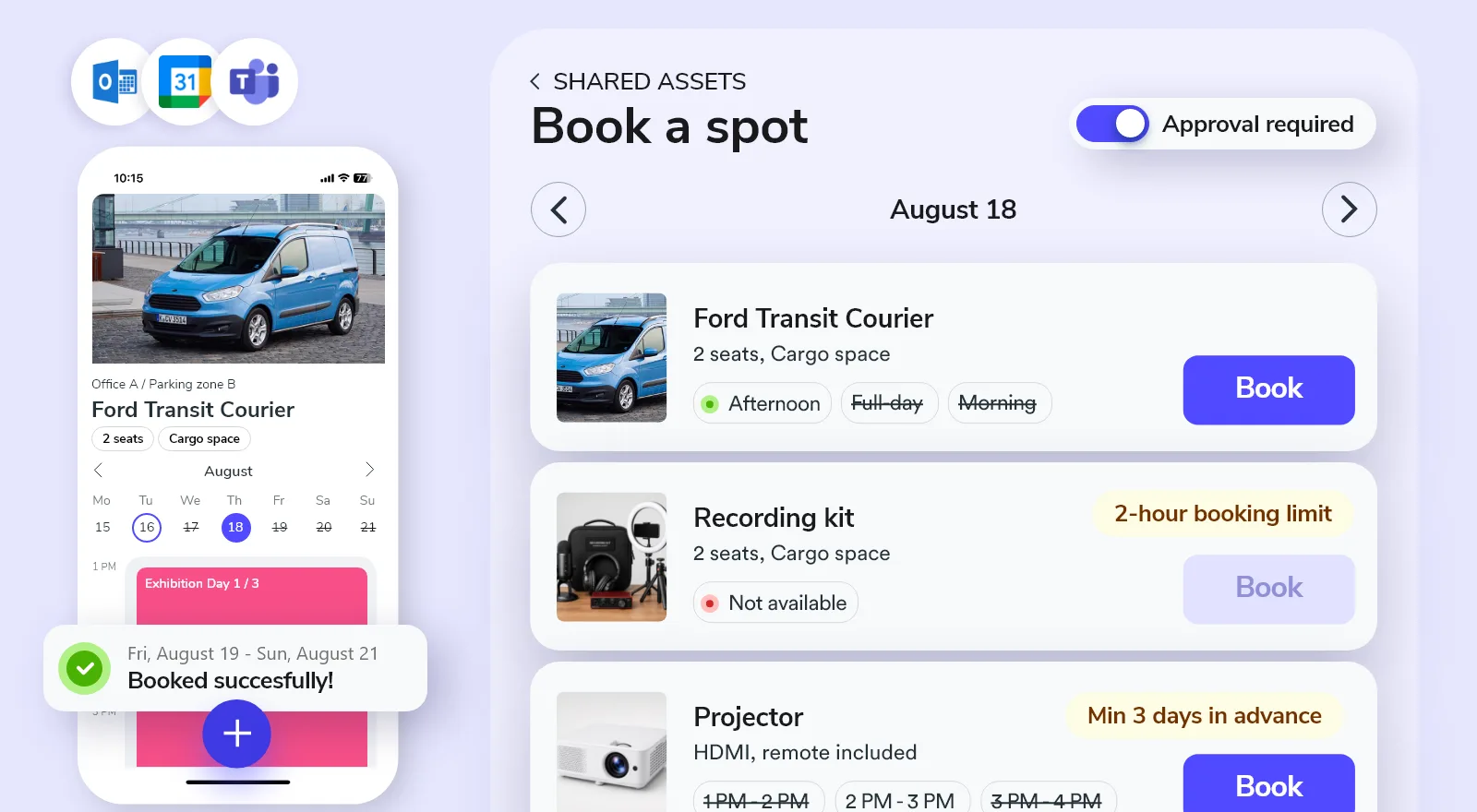
Keep shared assets under control.
Let employees reserve equipment, company vehicles and other shared resources while clear rules keep access and availability under control.
- Controlled access
- Approval workflows
- Booking duration limits
Simple booking. Clear rules.
Keep every space easy to book, with the right rules built in.
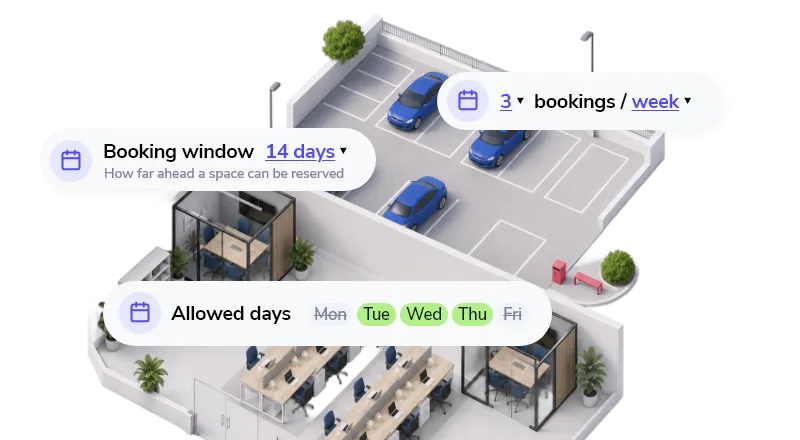
Keep busy spaces available for the people who need them with booking windows, limits and quotas.
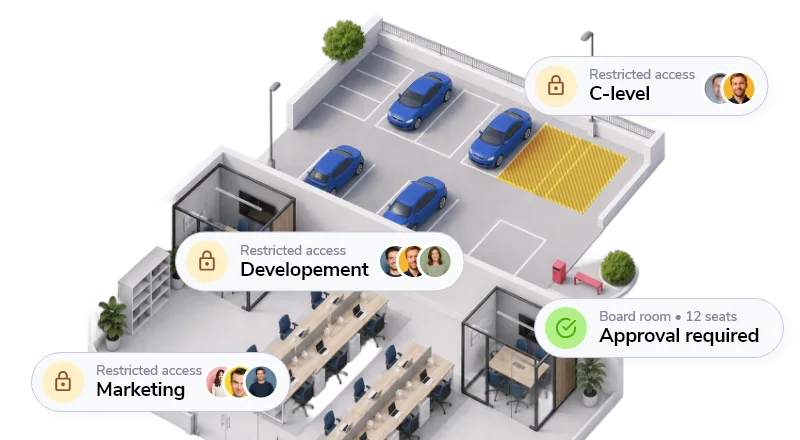
Give teams access to the right spaces and add approval only where it makes sense.
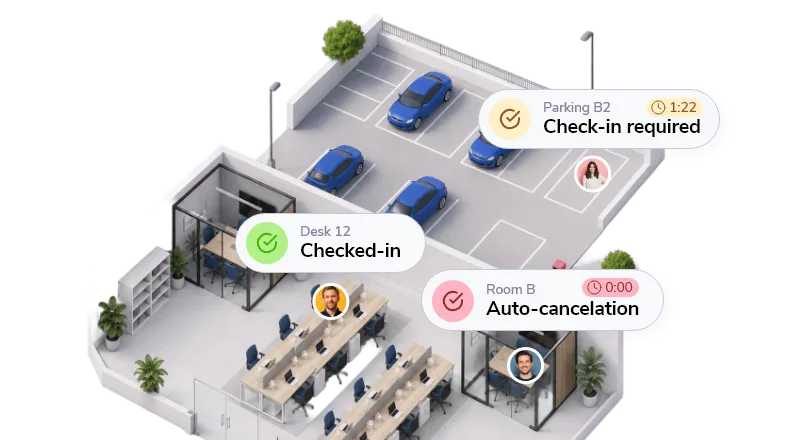
Check-ins and automatic releases stop unused bookings from blocking the schedule.
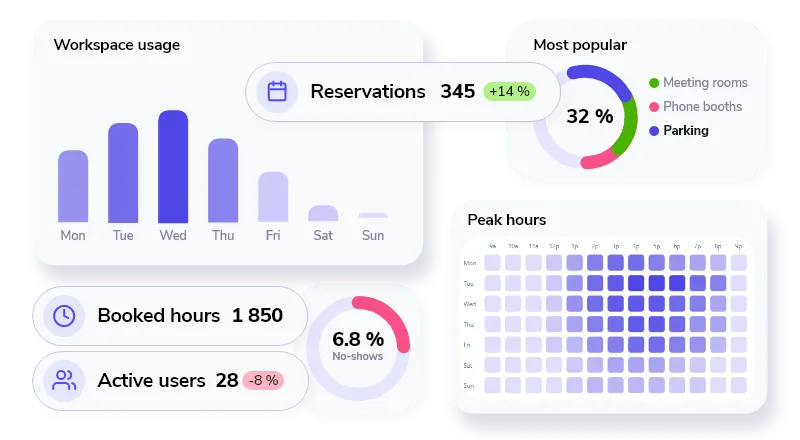
See demand, booking patterns and exceptions without chasing spreadsheets.

Set up in minutes. Easy to adopt from day one.
Whatspot works with the tools your employees already use, without a lengthy rollout.
Connect users and calendars.
Bring in your existing sign-in, users and room calendars without rebuilding the way your company works.





Book from anywhere.
Let employees find and book the right space from their phone, wherever they happen to be.


Book or check in on site.
Scan the code on a desk, room or asset and act from the spot.

Ready for international teams.
Give every office the same familiar booking flow in its own language.


Whatspot speaks 15+ languages
Easy for people to book. Easy for admins to manage.
What teams using Whatspot for desks, meeting rooms and parking in their offices say about it.
Clear, Simple, and Easy to Use! Whatspot is a brilliant tool for managing spaces. The system is intuitive, easy to set up, and perfect for teams that prefer a hassle-free experience. The demo was clear, and the support team was incredibly responsive. Highly recommend!
Seamless Booking, Excellent Support We're happy to have moved to Whatspot, it makes it easier for our coworkers to book desks and meeting rooms and see availability. It works like a charm. It's really easy to use. Communication and support of the Whatspot team is great. The option to get QR-codes for the spots is also a really nice feature.
Amazing Platform and Support Whatspot stands out not only for its simplicity and flexibility but also for its outstanding support. The team is professional, responsive, and truly dedicated to their product. Highly recommended for hassle-free workspace management!
Effortless Workspace Management Whatspot makes managing meeting rooms and workspaces incredibly simple. It's intuitive, efficient, and saves us time. Plus, their support is always quick to help when needed. Highly recommended!
Efficient, Smart, and Multilingual A really effective tool that helps companies increase the efficient use of their shared resources. Very easy to use tool with some excellent features, like allowing non-registered users to have access, plus many different language versions. There are regular improvements too, often based on customer feedback.
Simple and Effective Meeting Room Management We are very pleased with Whatspot for managing meeting room reservations and other spaces in our organization. It has significantly streamlined and improved the process. The application is highly intuitive, easy to manage, and simple to operate.
Translated from the original language.
See what Whatspot would cost for your workspace.
Simple pricing based on the number of bookable spots. Try everything free for 14 days.
Included
- Up to 100 users
- Interactive maps
- Access rules and approvals
- Booking workflows and check-ins
- Workspace usage analytics
Frequently asked questions
About choosing, setting up and running your workspace booking system.
What is workspace booking software and how does it work?
Workspace booking software is an office booking system that shows employees which desks, meeting rooms, parking spaces and shared assets are available. They choose a resource and time through the web, mobile app, Microsoft Teams or a connected calendar. Administrators decide who has access and can set booking rules, approvals, check-ins and availability.
What types of workspaces and resources can I book with Whatspot?
Whatspot brings hot desk booking, meeting room booking and parking space booking into one system. You can also manage company cars, lockers, electronics and other shared resources. Each resource can use the booking mode that fits how it is used. Interactive floor plans are available when employees need a visual way to find and book a resource.
Can I set booking rules, permissions and approvals?
Yes. Whatspot includes booking rules, permissions and approvals for different resources and user groups. You can decide who can see and book each space, apply quotas, require approval and define availability. Employees still use a simple booking flow, while administrators keep restricted spaces and special requests under control.
Does Whatspot integrate with Microsoft 365 and Google Workspace?
Yes. Whatspot can synchronize room and resource calendars with Microsoft 365 and Google Workspace, helping people keep using familiar tools while bookings and availability stay aligned. The Microsoft Teams app also lets employees view availability and create reservations without leaving Teams.
How quickly can we set up Whatspot?
Most teams can add spaces, define availability and access, and start booking in minutes. The setup is self-service, while company identity, calendar or more complex multi-location rollouts may benefit from IT or help from the Whatspot team.
Can Whatspot support multiple offices, teams and shared spaces?
Yes. You can organize resources by location and category, then give each team access to the spaces it needs. All bookings stay in the same Whatspot calendar and can also synchronize with connected Microsoft or Google calendars.
Can we start small and scale as our workplace grows?
Yes. The account and pricing are self-service. You can start with a small number of bookable spots and add more whenever you need them. As your workplace grows, you can also add resource categories, locations and teams without setting up a new system.
How is Whatspot different from enterprise workspace booking software?
Whatspot is designed for organizations that need more control than a basic office booking app but do not want a long enterprise implementation. It includes booking rules, approvals, calendar integrations and support for multiple locations in a system that workplace teams can set up themselves. You can try all features free for 14 days without a credit card.
Get your workplace up and running.
Add your spaces, invite your team and start booking without a complex rollout.
Whatspot speaks 15+ languages