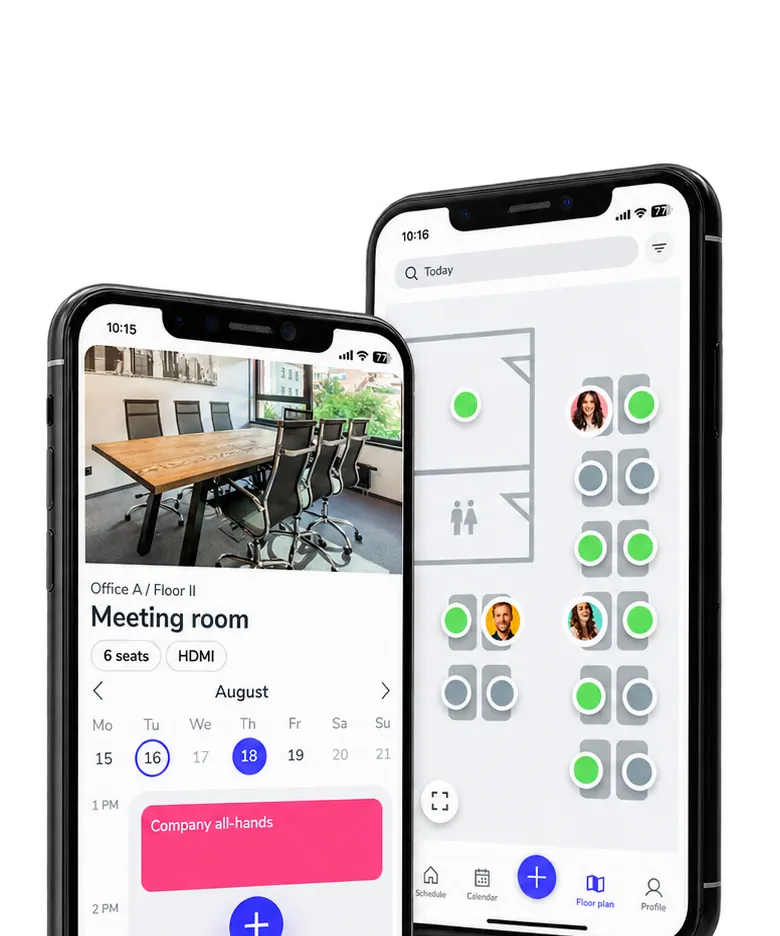
Best room booking software for offices and facility teams


On this page
Choosing room booking software is less about finding the longest feature list and more about matching the system to your operating model. A small internal office, a facility team managing shared resources, and a coworking or community venue need different levels of rules, calendar sync, check-in, public booking, and reporting.
Quick answer
- If you only need basic internal room scheduling, Microsoft 365 room mailboxes or Google Workspace room resources may be enough.
- If you want dedicated room or resource booking without a full workplace suite, Whatspot is a strong candidate, especially for small and mid-sized teams that care about spot-based pricing, meeting room booking, approval flows, check-in, public booking, and two-way calendar sync.
- If booking rules, quotas, windows, or multi-space policies are central, Skedda is often the more natural comparison point.
- If room booking is only one part of a larger workplace or facility program, look at Archie, Robin, Envoy, or OfficeRnD depending on the operating model.
How we compared the tools
Each product in this comparison publicly describes room or shared-resource booking for workplace use cases. Because Whatspot is included, we compared every option on the same dimensions: best fit, resource model, pricing signal, calendar integration, check-in or no-show handling, and the main tradeoff.
Comparison table
| Option | Best fit | Resource model | Pricing signal | Strongest point | Main limitation |
|---|---|---|---|---|---|
Whatspot | Small offices, shared offices, schools, community venues, and facility teams formalizing resource booking | Rooms, desks, parking, public spaces, other bookable spots | Permanent free plan plus paid plans priced by spots | Low-friction resource booking with approval, public booking, and calendar sync | Not a full IWMS or enterprise workplace suite |
Skedda | Rule-heavy workplaces, education spaces, sports facilities, studios, and venues | Rooms, desks, parking, labs, courts, studios, and other spaces | Public pricing by space for workplace plans | Strong booking rules, quotas, and policy depth | More configuration than a simple office may need |
Archie | Hybrid teams that want rooms, desks, visitors, maps, and employee-facing booking in one experience | Rooms, desks, visitors, coworking workflows | Quote or demo led | Broader workplace experience with QR, kiosk, and floorplans | Broader scope than a small room-only team may need |
Robin | Mid-market and larger hybrid workplaces standardizing office presence, rooms, desks, visitors, and analytics | Rooms, desks, parking, lockers, visitors | Quote-led annual subscriptions | Workplace operations depth and analytics | Public pricing is not self-serve |
Envoy Reservations | Offices that want resource booking connected to visitor management, safety, signage, and workplace operations | Desks, rooms, parking, visitors, screens | Platform plus module pricing | Reservation module inside a broader workplace platform | Can be too broad if the only problem is a few room calendars |
OfficeRnD Workplace | Coworking operators, flexible offices, and teams combining desks, rooms, services, and utilization | Desks, meeting rooms, dedicated desks, custom resources | Public calculator style pricing by bookable resources | Operational depth for flexible-space workflows | More machinery than a basic internal office may need |
Microsoft 365 room mailboxes and Teams panels | Microsoft-heavy organizations that mainly need internal room scheduling inside Outlook and Teams | Room and equipment mailboxes; Teams panels for at-the-door use | Usually part of an existing Microsoft stack | Native fit for Microsoft 365 environments | Less suited to public booking and external workflows |
Microsoft 365 room mailboxes or Google Workspace room resources when the booking problem is simple internal scheduling.
Whatspot or Skedda when room governance, approval, or check-in matters more than calendar convenience.
Robin, Envoy, Archie, or OfficeRnD when room booking sits inside a wider office operating model.
The best room booking software options
Whatspot
Best for lightweight resource booking
Whatspot fits organizations that have outgrown a shared calendar but do not want a heavy workplace platform. Its core model is simple: create bookable spots such as rooms, desks, parking spaces, or other resources, then control who can reserve them and under what conditions.
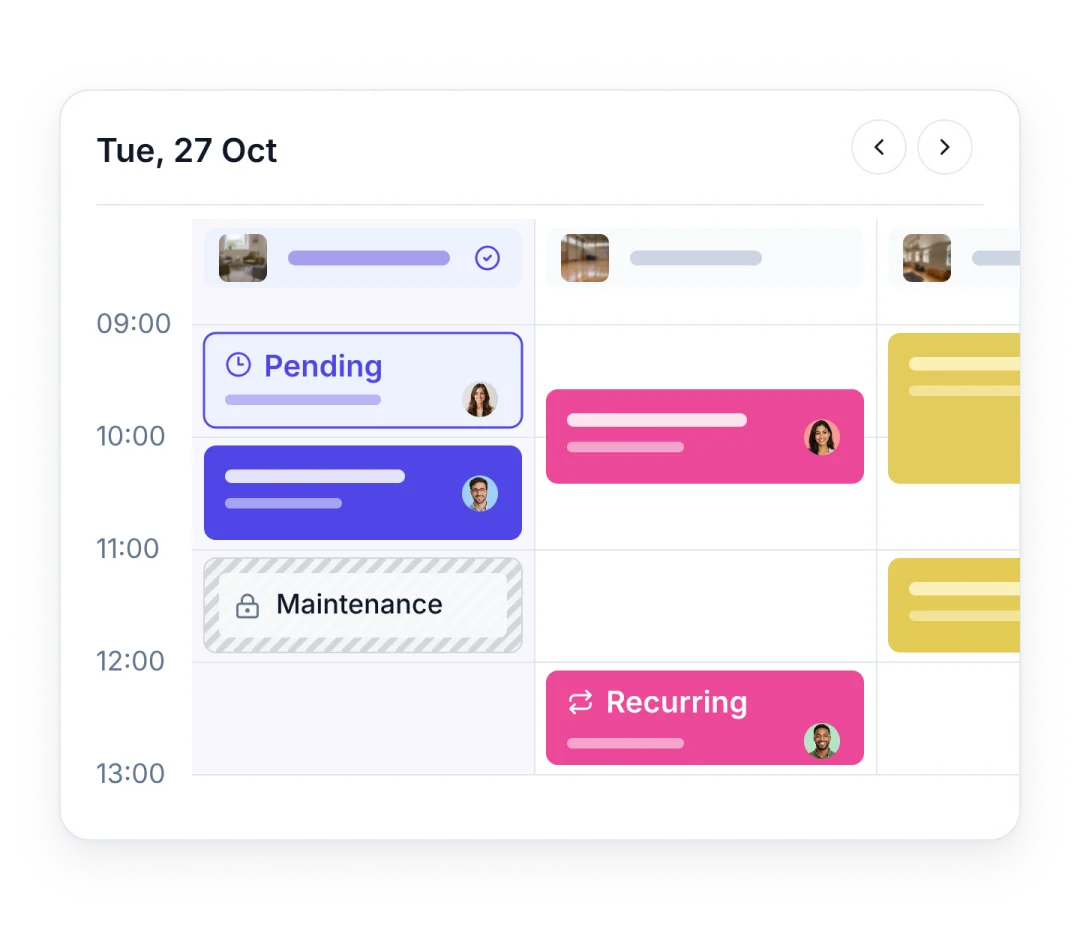
That makes it a strong fit for small and mid-sized workplaces, schools, coworking spaces, nonprofit offices, and community venues where the problem is everyday coordination: stopping conflicts, adding approval where needed, making rooms easy to book from a phone, and giving admins enough usage data to see whether spaces are actually being used.
Public booking, desk booking, and meeting room workflows can live in the same system, which is useful when the organization manages several kinds of resources rather than only conference rooms.
Skedda
Best for rule-heavy booking
Skedda is strongest when booking rules are the hard part. Its public material emphasizes space-based pricing, interactive floorplans, Microsoft 365 and Google Workspace sync, visitor management as an add-on, and a rules engine covering booking conditions, windows, quotas, buffers, approval workflows, and access controls.
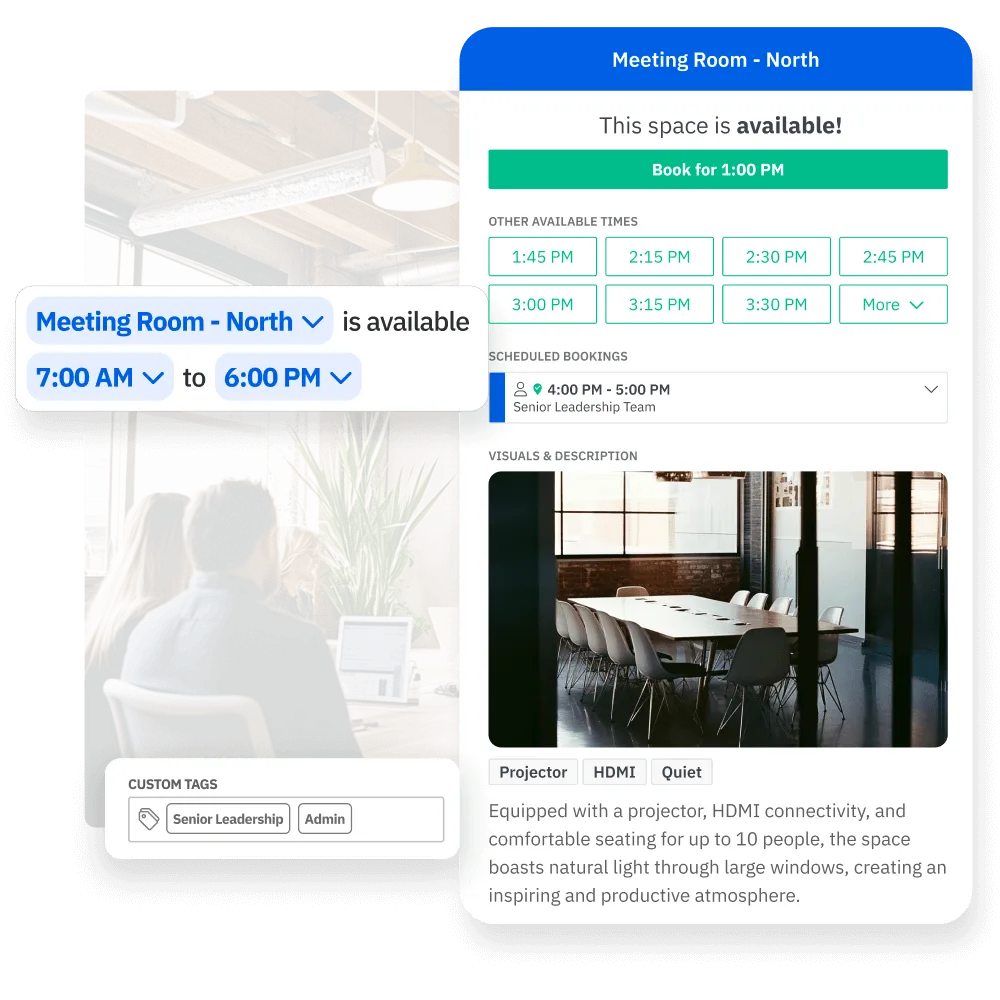
That makes Skedda a good fit where "who can book what" is not simple. Universities, sports facilities, labs, shared venues, and workplaces with different room types and approval paths are the natural use cases.
Archie
Best for a broader workplace experience
Archie is a broader workplace platform with strong employee-facing room and desk booking. Its room booking pages describe visual floorplans, no-show protection, booking policies, QR booking, room displays, kiosk booking, web and mobile apps, and integrations with Teams, Outlook, Slack, Google Calendar, Zoom, SSO, SCIM, and an API.
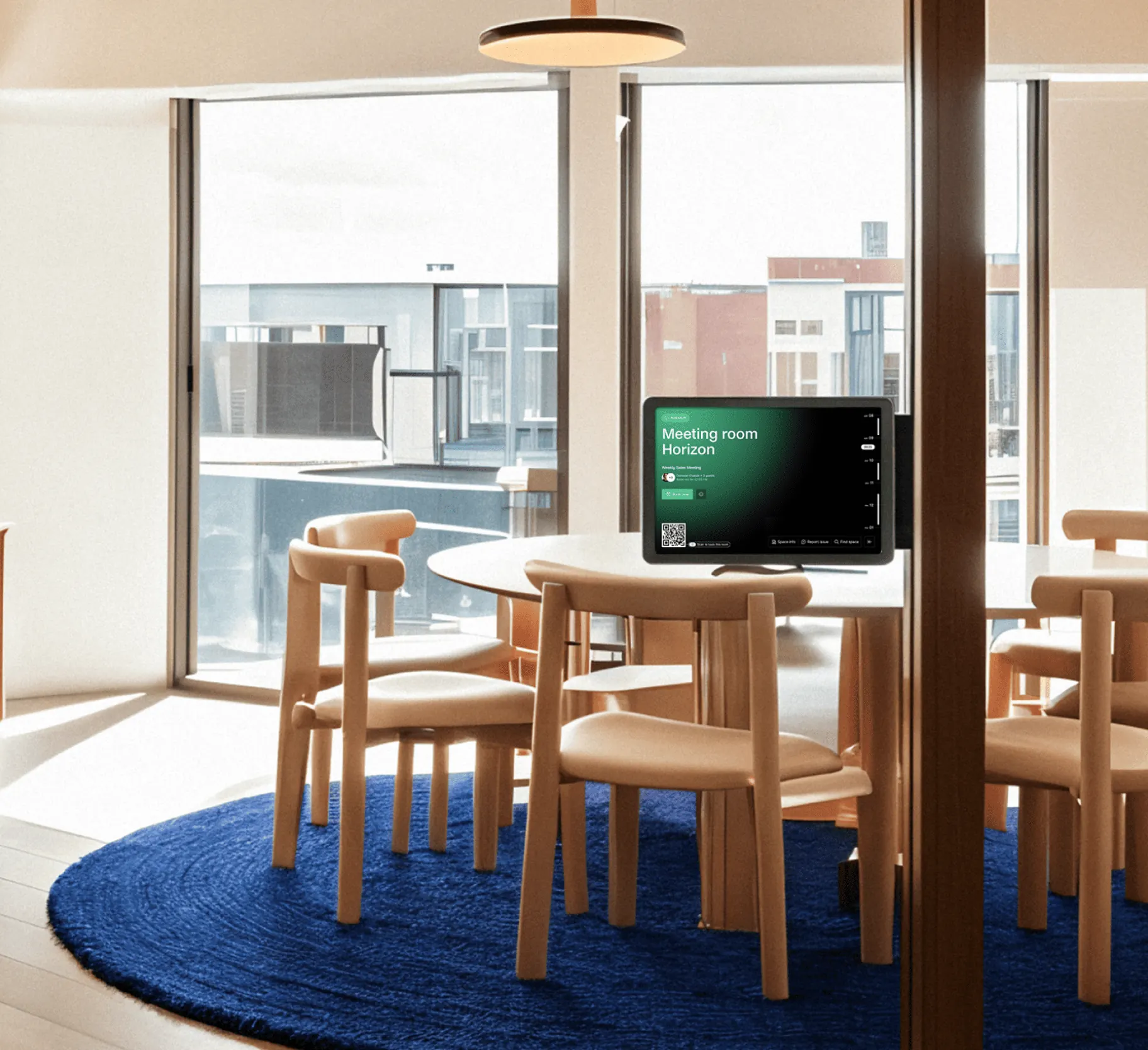
The best fit is a hybrid team that wants rooms and desks managed together, with maps and multiple booking surfaces. Archie is not just a room calendar; it tries to make the office plan visible to employees before and during the workday.
Robin
Best for workplace operations at scale
Robin is best understood as a workplace operations platform with room scheduling inside a broader hybrid-work system. Its public pricing and product pages frame the product around rooms, desks, parking, lockers, visitor management, and employee experience features.
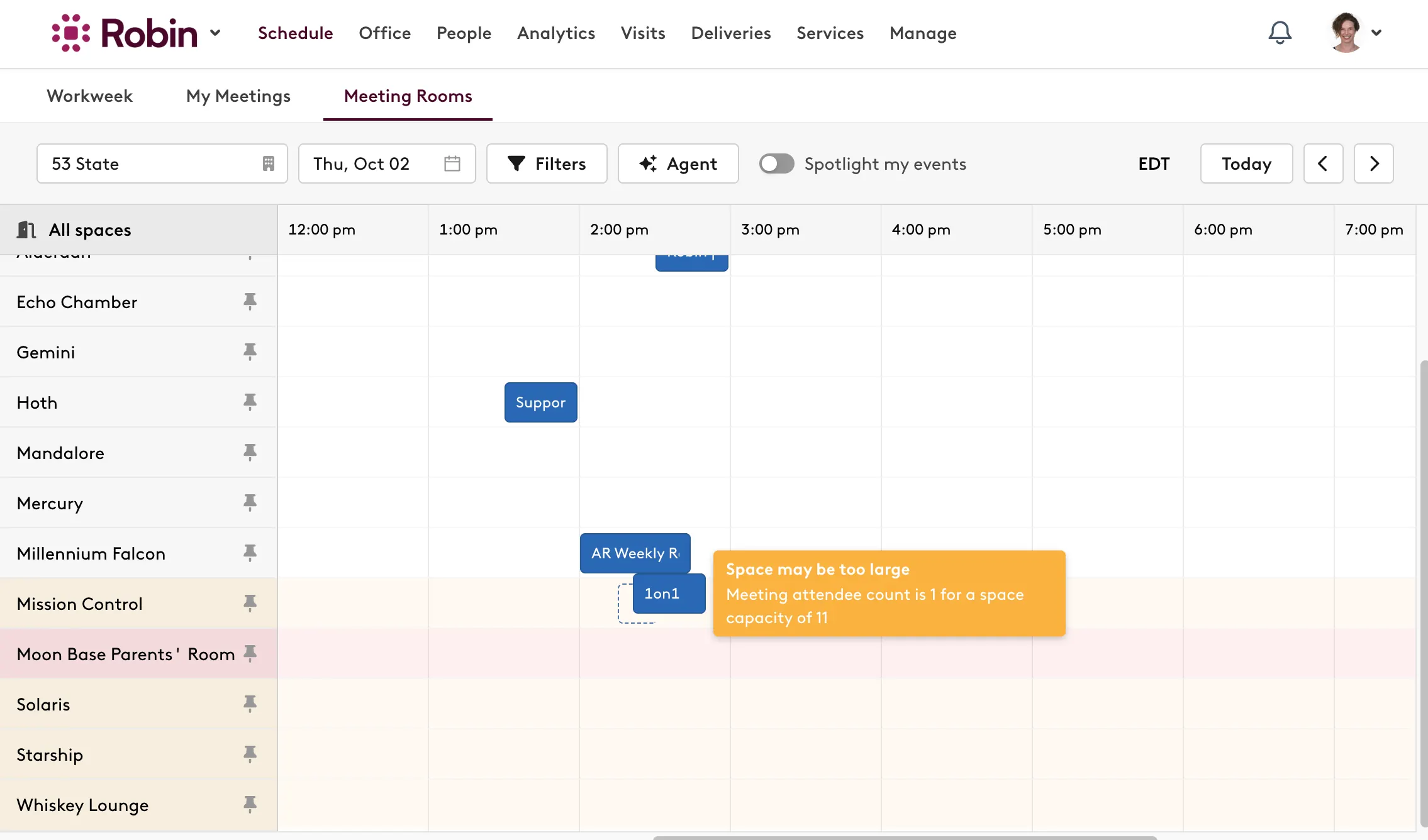
For room booking specifically, Robin documents Google and Microsoft calendar sync, room displays, check-in, abandoned meeting protection, QR codes for room displays, and workplace analytics.
Envoy Reservations
Best when booking sits close to visitor management
Envoy is strongest when room booking sits close to visitor management, safety, signage, and workplace operations. Reservations covers desks, rooms, and parking, with real-time availability, mobile booking, room displays, check-in at the door, and auto-release for missed check-ins.
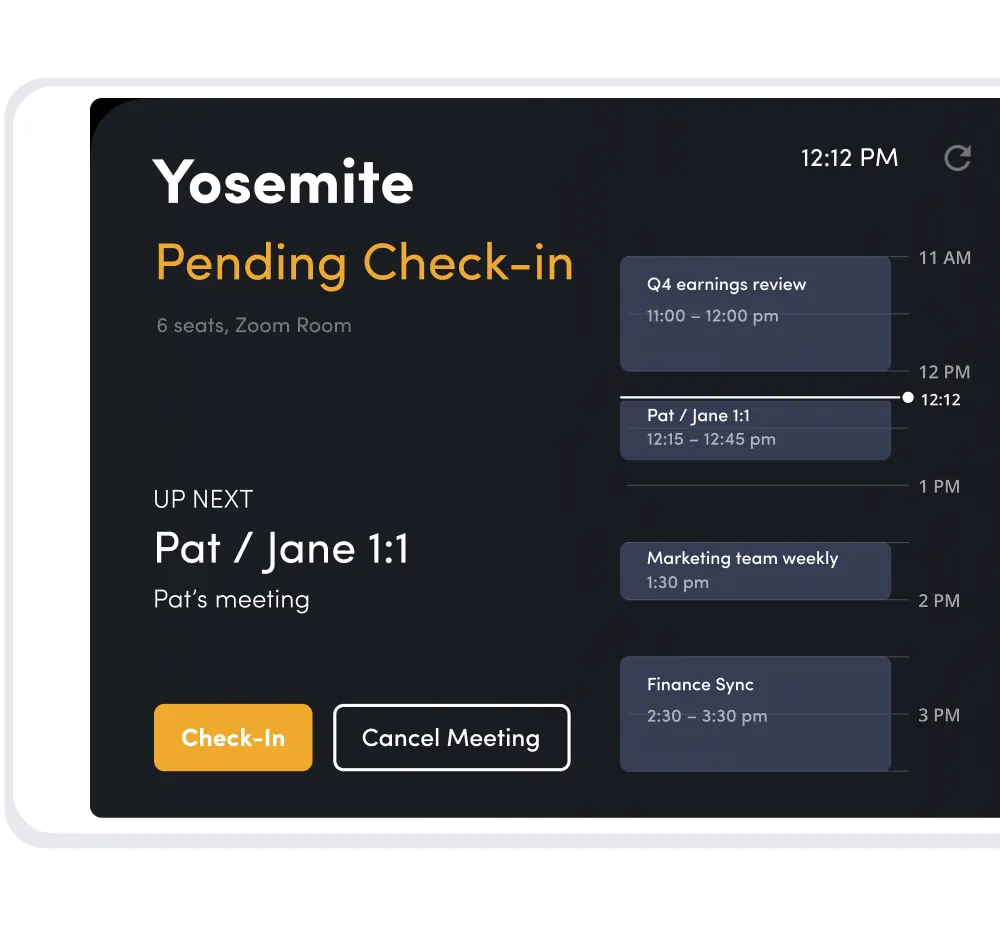
Envoy's platform pages also describe maps, Slack and Teams integrations, Google and Microsoft calendars, SSO, SCIM, and platform analytics depending on tier.
OfficeRnD Workplace
Best for coworking and flexible office operations
OfficeRnD Workplace fits flexible offices, coworking operators, and organizations that manage desks, meeting rooms, recurring bookings, interactive maps, collaboration days, workplace utilization analytics, and visitor workflows.
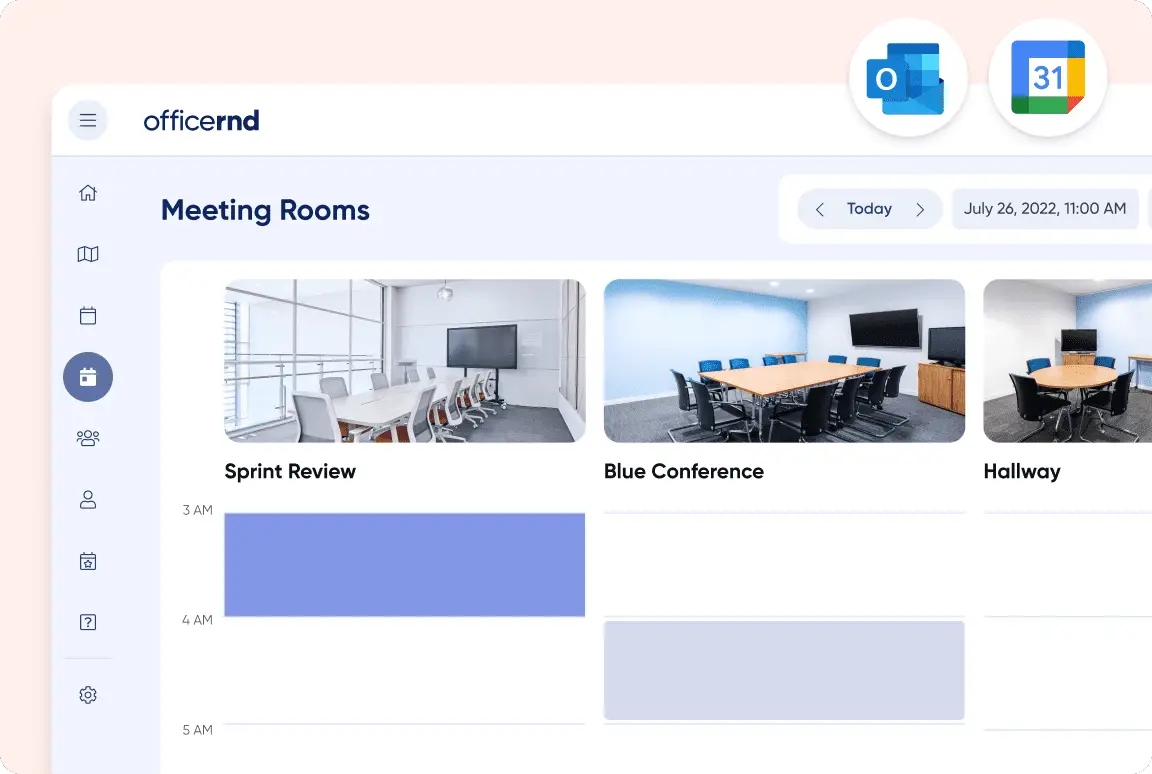
This makes OfficeRnD especially relevant when room booking connects to coworking or flexible-work operations, where resources, services, members, and visitors need to be managed together.
Microsoft 365 room mailboxes and Teams panels
Best as the baseline for Microsoft-heavy orgs
Microsoft is the default room-booking baseline for many organizations. Exchange Online room mailboxes let admins create physical room resources that can accept or decline meeting requests based on availability and booking settings. Outlook's Room Finder helps users select available rooms while scheduling meetings.
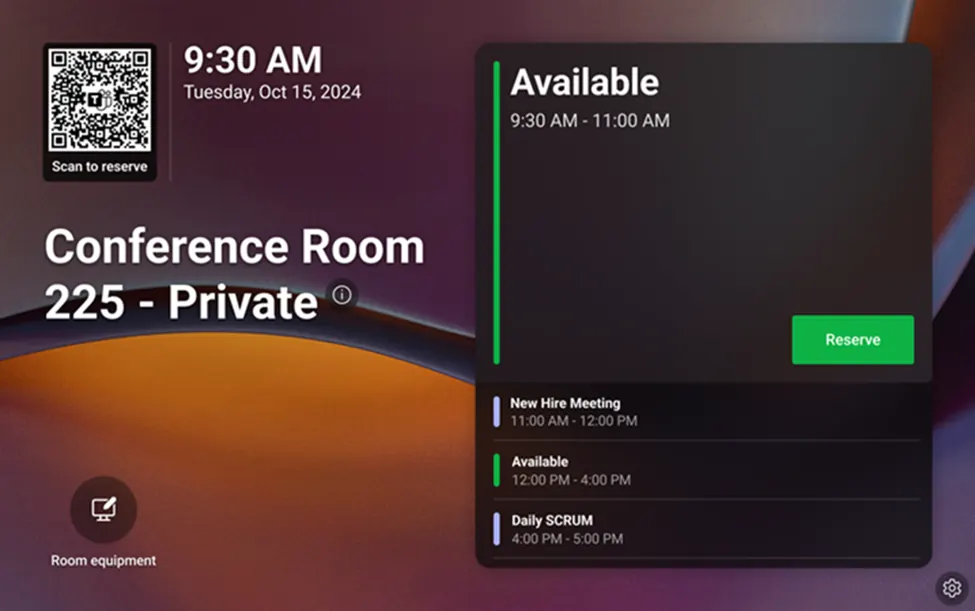
For at-the-door workflows, Teams panels and Microsoft Places support check-in and auto-release under documented conditions. Users can check in through a Teams panel, a Teams Rooms console, or Teams chat depending on configuration and licensing.
How to choose the right room booking system
1. Count resources before users
The first pricing question is not "How many employees do we have?" It is "How many resources are we managing, and how often do people book them?" For a 200-person office with 10 meeting rooms, per-user pricing and spot-based pricing create very different cost shapes.
2. Decide whether the calendar or the booking system is the source of truth
Some teams want booking to happen inside Outlook or Google Calendar. Others want people to book in a dedicated app, then send the booking to a personal calendar. Before buying, ask every vendor whether sync is one-way or two-way and what happens when someone edits or deletes a meeting in the external calendar.
3. Separate check-in from QR booking
QR booking lets someone scan a code at a room and create or open a booking flow. Check-in requires the organizer or attendee to confirm that the meeting is actually happening. Auto-release goes one step further: if nobody confirms, the room becomes available again.
4. Match reporting depth to the decision you need to make
A small team may only need to know which rooms are overbooked and which reservations are missed. A larger workplace team may need occupancy trends, office attendance, room-size mismatch, sensor integrations, or custom exports. Ask for a sample export or report before buying.
5. Treat public booking as a separate requirement
Internal room booking and external venue booking are different workflows. If external users need to book without an account, verify that directly. Do not assume visitor management, guest invitations, and public booking pages are interchangeable.
How Whatspot fits the lightweight resource-booking model
Whatspot's strongest argument is not that every organization should choose it. It is that many teams do not need an enterprise workplace platform to fix room booking.
If the operational job is "make shared spaces easy to reserve and easier to govern," Whatspot maps closely to that job. Admins can create different spots, control visibility, require approval for sensitive or public categories, add rules and quotas, publish public booking links, use QR codes, and add interactive maps where visual selection helps users book the right place.
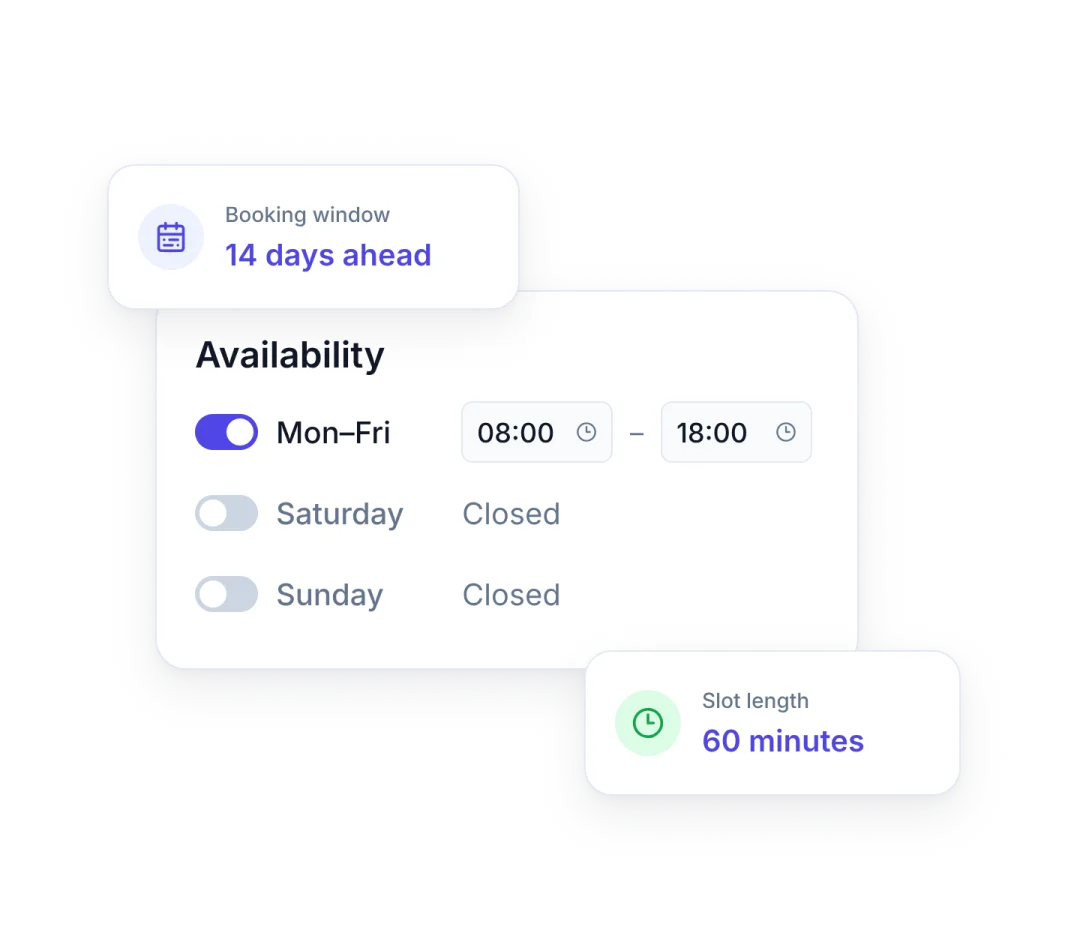
The model works especially well when an organization manages several kinds of resources, not just rooms. A school might manage classrooms, labs, and parking. A coworking space might manage meeting rooms, desks, and public rooms. A shared-space operator can use the same booking layer for different community rooms, as in the Smichov Community Center case study.
For a deeper handoff between calendars and room booking, see when Google and Microsoft calendars are not enough for meeting room booking.
FAQ
What is the best room booking software?
There is no single best room booking system for every organization. Whatspot is a strong fit for lightweight resource booking, Skedda is strong for rule-heavy space scheduling, and Robin, Envoy, Archie, or OfficeRnD fit broader workplace programs. Microsoft 365 or Google Workspace may be enough for basic internal room calendars.
What should room booking software include?
Useful room booking software should show real availability, prevent double bookings, support the calendar workflow your team uses, control who can book which rooms, handle no-shows if that is a problem, and give admins enough reporting to improve space decisions.
Is Outlook enough for meeting room booking?
Outlook can be enough if your rooms are internal, your organization already uses Microsoft 365, and you only need users to reserve rooms while scheduling meetings. Dedicated software becomes more useful when you need public booking, floorplans, approvals, check-in rules, no-show release, or broader resource reporting.
Is Google Calendar enough for room booking?
Google Calendar can work for simple shared spaces and Google Workspace room resources. It is less suitable when facilities teams need booking rules, external booking pages, QR booking, check-in enforcement, or utilization analytics beyond the calendar.
Should pricing be per user or per room?
Neither model is automatically better. Per-room or per-resource pricing often fits teams managing a fixed number of spaces for many possible users. Per-user pricing can make sense when the product manages the whole workplace experience, not only room reservations.
Useful sources and further reading
These resources cover the platform documentation and product pages referenced while comparing room booking workflows, calendar behavior, check-in, and resource management.
- Microsoft Exchange room mailboxes: how Microsoft 365 handles room and equipment resources inside Exchange and Outlook
- Microsoft Teams panels check-in and auto-release: Microsoft guidance for room check-in and missed-meeting release workflows
- Google Workspace Calendar resources: Google's baseline model for shared rooms and equipment calendars
- Skedda meeting room booking system: product detail on floorplans, rules, room displays, and workplace space booking
- Robin room scheduling: product detail on room booking, calendar sync, room displays, check-in, and workplace analytics
- Envoy pricing: public pricing context for Reservations and the broader Envoy workplace platform
- OfficeRnD Workplace pricing: public pricing context for bookable resources, meeting rooms, integrations, and plan-dependent capabilities


 4.7/5
 4.4/5
 4.7/5