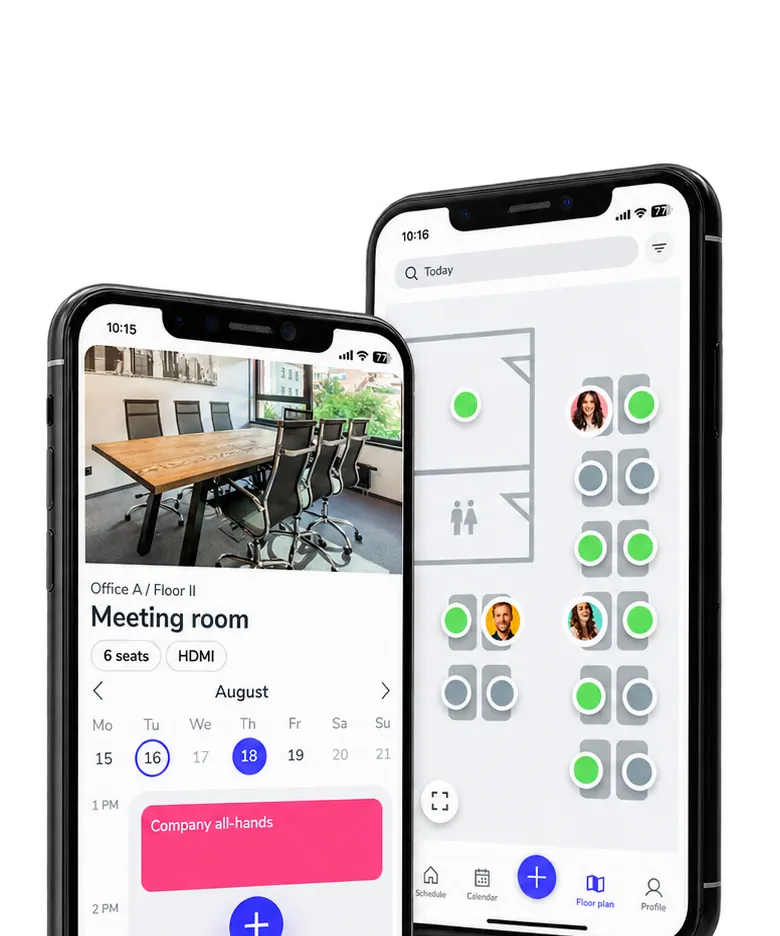
How to create a meeting room booking policy that people actually follow

On this page
- Quick summary
- When you need a meeting room booking policy
- A policy is not the same as a booking system
- The core decisions your policy should make
- Meeting room booking policy settings table
- Copyable meeting room booking policy template
- How to roll out the policy
- How Whatspot turns policy into booking behavior
- Useful sources and further reading
- FAQ
A meeting room booking policy is not just a document that asks people to be considerate. It is the operating model for how shared rooms are reserved, changed, released, and reviewed.
That distinction matters. If the policy says "cancel rooms you do not use" but cancellation is buried in a calendar invite, people forget. If it says "do not book large rooms for small calls" but the booking flow does not show capacity, people guess. If it says "client rooms need approval" but every exception goes through a manager in Slack, the office manager becomes the booking system.
Quick summary
- A good meeting room booking policy separates etiquette from enforceable rules.
- Start with rooms that create real friction: large rooms, client rooms, high-demand rooms, and recurring meeting slots.
- Define who can book, how far ahead they can book, how long rooms can be held, when approval is required, and what happens when people do not show up.
- Keep everyday rooms self-service where possible. Use approvals only for scarce, sensitive, external-facing, or operationally complex rooms.
- Review the policy using booking behavior, cancellations, no-shows, complaints, and room availability patterns.
When you need a meeting room booking policy
You probably do not need a formal policy when your office has two rooms, low room demand, and people can resolve conflicts by walking over to each other.
You do need one when the room calendar stops matching reality.
Common signs:
- Rooms look fully booked, but some sit empty.
- Large rooms are reserved for small calls.
- Recurring meetings block prime hours long after they stop needing a room.
- Employees ask the office manager to find a room because they no longer trust the calendar.
- External visitors, client meetings, training sessions, or interviews need more control than ordinary team meetings.
- Different teams follow different rules because no one has defined the default.
At that point, the problem is no longer that people should behave better. The problem is that the booking model is unclear.
A policy is not the same as a booking system
A policy decides what should happen. A booking system makes the repeatable parts happen without constant admin work.
For example, a policy might say:
- Small rooms can be booked freely by employees.
- The boardroom requires approval.
- Rooms can be booked up to four weeks in advance.
- Recurring bookings must be reviewed every quarter.
- If nobody checks in after the start of a meeting, the room can be released.
Some of these rules can live in a calendar or room-resource setup. Microsoft Exchange room mailboxes can process room requests, apply working-hour rules, limit booking duration, and handle recurring meeting settings through room mailbox configuration. Google Workspace room resources also use calendar resources, sharing permissions, and auto-accept behavior to control whether rooms accept conflicting invitations.
But the moment your policy needs approval by room type, check-in behavior, QR booking, public or guest access, recurring booking cleanup, or clearer reporting, a plain calendar becomes only one part of the system.
That is why the policy should lead the software choice, not the other way around.
The core decisions your policy should make
The simplest useful policy answers ten questions.
1. Who can book which rooms?
Some rooms should be available to everyone. Others may need restrictions because they are client-facing, equipped for specific work, located in private areas, or shared with visitors.
| Room type | Default access | Why |
|---|---|---|
Small meeting rooms | Everyone | Low risk, high daily use |
Focus rooms | Everyone, short bookings only | Prevents long holds on scarce space |
Boardroom | Approval required | Higher value, client or leadership use |
Training room | Approval or owner-managed | May need setup, equipment, or longer blocks |
Visitor room | Approval required | External guests and reception flow may matter |
The rule of thumb: make ordinary booking easy, and reserve control for rooms where misuse creates real operational cost.
2. How far ahead can rooms be booked?
Long booking windows feel convenient until they let people block future capacity they may not need.
A practical policy can define booking lead time by room type:
- Everyday rooms: two to four weeks ahead.
- Training rooms or event rooms: longer lead time.
- External visitor or client rooms: longer lead time with approval.
- High-demand small rooms: shorter lead time if hoarding is a problem.
Microsoft room mailbox settings include a maximum booking lead time. That kind of control matters because a room blocked six months out can quietly reduce availability long before anyone feels the pain.
3. How long can a room be booked?
If the limit is too loose, people book half-day blocks for ordinary meetings. If it is too strict, workshops and planning sessions become exceptions.
| Booking type | Suggested policy approach |
|---|---|
Ordinary meeting | Keep short by default; avoid full-day holds |
Interview or client call | Allow longer blocks when justified |
Workshop or training | Allow longer booking, often with approval |
Recurring team meeting | Allow, but review periodically |
All-day hold | Require approval or a clear business reason |
Duration limits work best when they prevent accidental hoarding, not when they make normal collaboration harder.
4. What happens to recurring bookings?
Recurring meetings are useful. Recurring room bookings are risky.
The problem is not the first booking. The problem is the tenth, twentieth, or fiftieth booking in the series, after the meeting has moved online, changed teams, changed room size, or stopped happening.
Your policy should answer:
- Are recurring room bookings allowed?
- Which rooms can be booked on a recurring basis?
- How far into the future can the series run?
- Who owns cleanup when the meeting changes?
- When should recurring bookings be reviewed?
For many offices, the right answer is not "ban recurring bookings." It is "allow them with a review habit." For high-demand rooms, approval or shorter recurrence windows may be enough.
5. When is approval required?
Use approval for:
- Rooms used for external visitors.
- Rooms with special equipment.
- Large rooms during peak hours.
- Long bookings or all-day holds.
- Public or guest bookings.
- Rooms shared across departments or locations.
Avoid approval for everyday small-room bookings, short internal meetings, low-demand rooms, and simple ad hoc bookings.
Whatspot's meeting room booking page describes access and visibility control, approval, booking rules, check-in, QR booking, and room usage reporting for meeting room workflows. Keep plan availability on the pricing page, not inside a long-lived article.
6. What is the cancellation rule?
If canceling a room takes more effort than keeping the room blocked, people will leave bookings untouched. Your policy should make cancellation feel normal.
- Cancel as soon as the room is no longer needed.
- Release the room when a meeting moves online.
- Update the room when the meeting size changes.
- Cancel future instances of recurring bookings when the series no longer needs a room.
- Treat early cancellation as helpful behavior, not a mistake.
Avoid heavy-handed language unless there is a real abuse pattern. Most no-shows are not malicious. They are often a missing feedback loop between changed plans and room availability.
7. What happens when nobody shows up?
The signal might be manual check-in, check-in from a room panel or device, check-in through a booking app, or a cancellation before the meeting starts.
The consequence might be that the room stays reserved, the room is released after a grace period, the organizer receives a reminder, or repeated patterns are reviewed by the office manager.
Microsoft Places documentation describes check-in and autorelease working together: if no one checks in within a configurable window, the space can be released for others. That is a useful model to understand, but do not copy an exact timeout blindly. The right window depends on room demand, meeting culture, and whether people have a reliable way to check in.
For a small focus room, a short check-in window may be reasonable. For an executive boardroom, client meeting, or training setup, a longer grace period or manual approval may be safer.
8. Do rooms need buffer time?
Use buffer time when rooms need setup, cleanup, equipment checks, catering, furniture changes, visitor movement, or a privacy reset between sensitive meetings.
Buffer time should be room-specific. A two-person call room may not need it. A training room probably does.
9. How should capacity and equipment affect booking?
People often book the wrong room because the booking flow does not tell them enough. If capacity, equipment, location, or room type is unclear, users will reserve whatever looks available.
Your policy should define room capacity, available equipment, intended room purpose, and what users should do if the room is too large or too small.
This is where a policy becomes less about control and more about helping employees make better choices quickly.
10. How will the policy be reviewed?
Review it monthly during rollout, then quarterly once behavior stabilizes. Look for high-demand rooms, repeated no-shows, recurring bookings that block peak hours, frequent manual exceptions, unfair-access complaints, large rooms used by very small groups, and rooms that are rarely booked.
Be careful with the data. A calendar booking shows intent to use a room. It does not always prove that the room was actually used. Check-in data, cancellation behavior, and manual feedback can make the picture more reliable.
Meeting room booking policy settings table
Use this table as a starting point, not a universal rulebook.
| Policy area | Good default | Make stricter when | Avoid over-controlling when | Software mechanism |
|---|---|---|---|---|
Room access | Most employees can book everyday rooms | Rooms are sensitive, scarce, or visitor-facing | The room is low-risk and low-demand | Access and visibility control |
Booking window | Limit ordinary rooms to a reasonable future window | People block rooms far in advance | Long planning cycles are legitimate | Booking lead time or booking rules |
Maximum duration | Limit ordinary meetings; allow exceptions | People book half-day holds casually | Workshops or trainings are common | Duration limits or approval |
Recurring bookings | Allow with periodic review | Recurring meetings block peak capacity | Teams genuinely meet in person every week | Recurring booking controls and review |
Approval | Use for special rooms and external use | Rooms need setup, security, or owner review | Everyday bookings need speed | Approval workflow |
Cancellation | Make cancellation easy and expected | Empty reserved rooms are common | Plans often change last minute but rooms are abundant | Cancellation flow and reminders |
No-shows | Define check-in or release behavior for high-demand rooms | Rooms sit empty while booked | People lack a reliable way to check in | Check-in and auto-release logic |
Buffer time | Use by room type | Rooms need setup, cleanup, or privacy reset | Simple rooms turn over easily | Availability or booking rules |
Capacity fit | Show capacity and room purpose | Large rooms are used by tiny groups | There are few alternatives | Room details, filters, and guidance |
Review cadence | Review after rollout and quarterly | Complaints continue | Usage is stable and low-friction | Reports, admin review, feedback |
Copyable meeting room booking policy template
Use this as a draft and adapt it to your rooms, team size, and booking system.
Meeting Room Booking Policy
Purpose
Our meeting rooms are shared spaces. This policy keeps room access fair, clear, and easy to manage.
Who can book
Employees may book standard meeting rooms for work-related meetings. Rooms with restricted access, visitor use, special equipment, or high demand may require approval.
Booking window
Standard rooms can be booked up to [X weeks] in advance. Special rooms, training rooms, or visitor rooms can be requested up to [Y weeks/months] in advance.
Booking duration
Book only the time you need. Standard meetings should not exceed [X hours] unless there is a clear reason. Longer sessions such as workshops, trainings, interviews, or client meetings may require approval.
Recurring bookings
Recurring room bookings are allowed for [approved use cases]. Recurring bookings should be reviewed every [X weeks/months]. If the meeting moves online or no longer needs the room, the organizer must release future room bookings.
Cancellations
Cancel the room as soon as you know it is no longer needed. If a meeting moves online, changes time, or changes room size, update the room booking.
No-shows and check-in
For selected rooms, organizers or attendees may need to check in at the start of the booking. If no one checks in within [X minutes], the room may be released for others.
Approvals
Approval is required for [room types or booking types]. Approval may be based on room demand, visitor access, setup needs, booking length, or priority use.
Room fit
Choose a room that matches the meeting size and purpose. Do not reserve large rooms for small calls when smaller rooms are available.
Setup and cleanup
Rooms must be left ready for the next booking. Rooms that need setup, cleanup, catering, equipment checks, or furniture changes may include buffer time.
Exceptions
Urgent business needs, client meetings, interviews, trainings, or company events may receive priority when approved by [role/team].
Review
The policy will be reviewed every [X months] using booking data, cancellations, no-shows, employee feedback, and room availability patterns.
How to roll out the policy
Start with a short pilot:
- Pick the three to five rooms that create the most friction.
- Apply only the rules that solve a real problem.
- Tell employees what changes in the booking flow.
- Give examples of allowed and discouraged bookings.
- Review what happens after a few weeks.
The first version should be understandable in one minute. People need to know:
- Can I book this room?
- How long can I book it?
- Do I need approval?
- What should I do if plans change?
- What happens if I do not show up?
If the policy cannot answer those questions clearly, it is not ready.
How Whatspot turns policy into booking behavior
If a written policy is enough, keep it simple.
If the policy needs to become daily behavior, the repeatable parts should live in the booking flow. That is where a dedicated meeting room booking system helps.
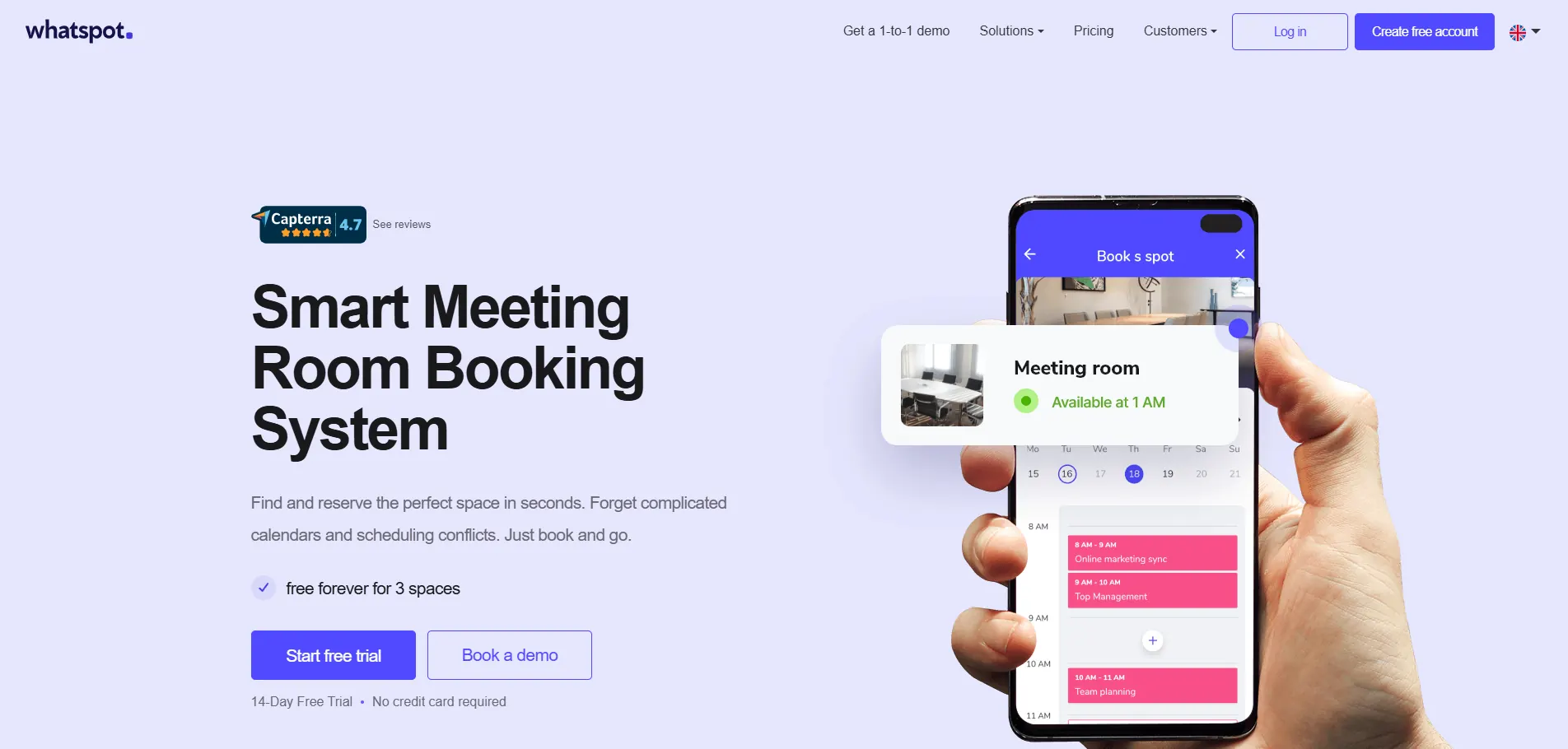
Whatspot's meeting room booking software supports shared-space control through access and visibility, booking approval, booking rules and limits, check-in, QR booking, mobile/web booking, calendar integrations, and reporting. That makes it a practical fit when your policy needs to become more than office etiquette.
For example, access rules can control who sees or books selected rooms, approval can protect boardrooms or long bookings, check-in can help release rooms that were booked but not confirmed, and calendar sync can keep existing scheduling tools part of the workflow.
Useful sources and further reading
These resources explain the calendar settings and booking workflows discussed in this guide, with practical documentation for turning a room policy into system settings and checking current Whatspot plan availability.
- Microsoft Exchange room mailboxes: official guidance on configuring room resources and their scheduling settings in Exchange Server.
- Google Workspace room and resource calendars: guidance on sharing room calendars, setting permissions and controlling how resources accept invitations.
- Microsoft Places check-in and autorelease: explains room check-in, automatic release after missed check-ins, and the requirements and limitations to review before enabling it.
- Meeting room booking software: an overview of Whatspot's meeting room booking workflow and the controls that can support a written room policy.
- Whatspot pricing and feature availability: current plans, limits and feature availability to check before choosing how to implement your policy.
- Spots and booking settings: implementation guides for approval settings, booking rules, public bookings, QR codes and operating hours.
FAQ
What should a meeting room booking policy include?
It should include who can book rooms, how far ahead rooms can be booked, maximum booking length, approval rules, recurring booking rules, cancellation expectations, no-show handling, room capacity guidance, setup or buffer time, exceptions, and review cadence.
Should every meeting room require approval?
No. Approval should be used when a booking needs judgment, such as client rooms, large rooms, special equipment, external visitors, long bookings, or high-demand spaces. Everyday internal rooms should usually stay self-service.
How do you stop people from booking rooms and not showing up?
Start by making cancellation easy. For high-demand rooms, add reminders, check-in, and a clear release rule. Treat no-shows as a feedback-loop problem first, not a discipline problem.
Should recurring meeting room bookings be allowed?
Often yes, but with limits. Recurring bookings should have an owner, an end or review date, and a clear process for releasing future room bookings when the meeting moves online or no longer needs the room.


 4.7/5
 4.4/5
 4.7/5