🎉 Calendar sync with Microsoft 365 and Google is here!
Whatspot now syncs directly with Google Calendar and Microsoft 365, so all your bookings show up where you already plan your day.
No more switching tabs, missing meetings, or chasing updates. Your reservations update automatically in real time.
The integration is one-way — reservations are pushed from Whatspot into your Microsoft/Google calendar.
Setting it up is easy!
Head to your profile settings, sign in with Google or Microsoft, and you're connected — one click with single sign-on.
➕ As a bonus — you can now also log in to Whatspot with your Google or Microsoft account.
❗ Important: Make sure the timezone in your organisation settings is correct.

Embed booking forms directly on your website
A new feature lets you embed the booking module right into your website. Your visitors can now make reservations directly on your site — no redirects needed.
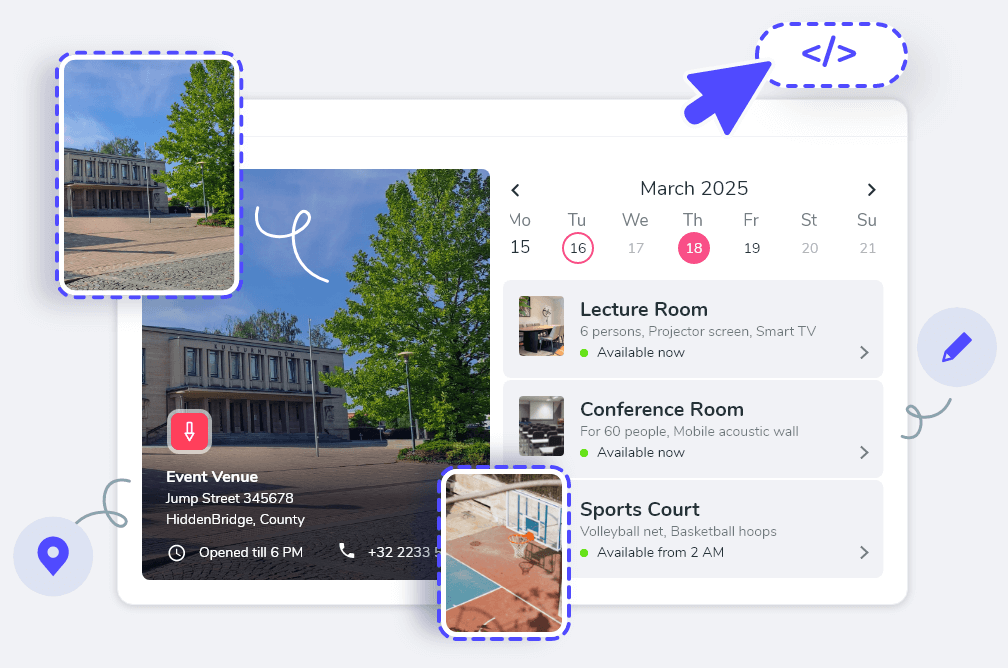
Perfect for coworking spaces & public venues.
- Ease for Visitors: Seamless booking access, no app switching or registration required.
- Easy integration: Copy and paste one script tag.
- Saves Time: Less customer support overhead.
How to set it up:
- Navigate to the main calendar in Whatspot.
- Click the share icon (top-right) and choose "Share publicly".
- Select "Embed into webpage" and copy the generated code.
- Paste into the HTML of your site or CMS (WordPress, Drupal, etc.).
Full guide: Help Center →

Interactive Floorplan is now in the mobile app
The Interactive Floorplan is now available in the Whatspot mobile app — book desks & parking spaces in seconds, directly from the map.

🚀 What's new?
- Instant visibility of available desks & parking spots
- Reserve directly from the floorplan with a tap
- Switch between floors & parking zones effortlessly
- Filter by time & space type
📱 The app is free to download. The Interactive Floorplan is available with the Floorplan add-on.
💡 Get Floorplan or email support@whatspot.app.
Enhanced Recurring Bookings Management
You can now apply changes to all bookings in a series at once, or modify just a single instance — much more flexible management of recurring reservations.
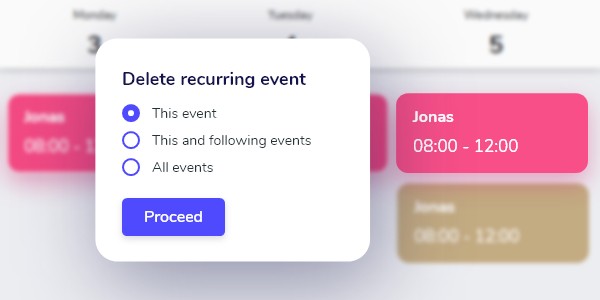
- Batch Operations: Apply changes to all bookings in a series, or from a specific point onward.
- Single Instance Adjustments: Modify just one occurrence without affecting the rest.
📱 This update is not yet in the mobile app — iOS & Android support for recurring bookings is coming soon.
Feedback welcome at support@whatspot.app 🌟
Introducing Booking Rules
Set daily booking limits, restrict certain spaces on key dates, and ensure fair access to meeting rooms and parking — all without manual admin work.

⚖️ Control Meeting Room Usage — Implement daily limits to ensure fair and efficient use.
🚗 Fair Access to Parking — Prevent single users from hogging spots all week.
📅 Secure Spaces for Events — Restrict access on key dates for important occasions.
How to get started:
- Go to Booking rules in the main menu.
- Click (+) to add a new rule.
- Set conditions, activate and save.
- See the full tutorial in our Help Center.
This feature is in Beta and available on all plans. Questions? support@whatspot.app