Sunday as first day of week + quick Book button + feedback form
Set Sunday as your week's first day. The spot detail page now also shows a Book button and nearest available date. Plus: send feedback directly from the main menu.
⭐ Sunday as first day — You can now set Sunday as the first day of the working week.
⭐ Quick Book button — The Book button and nearest available free date are now shown on the spot detail page.
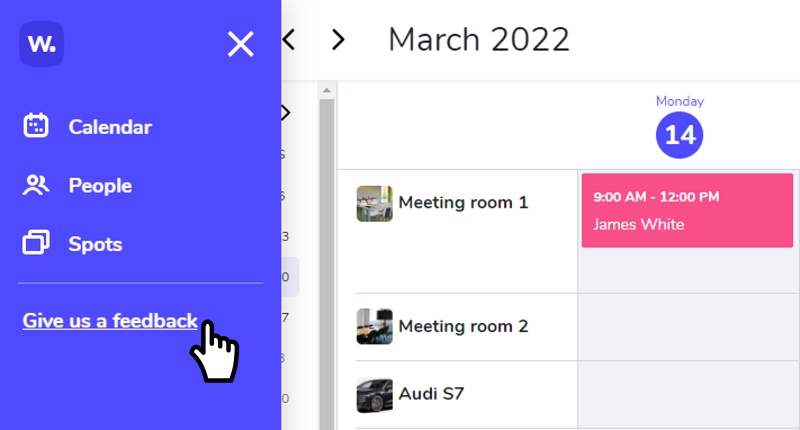
⚙️ You can now submit feedback via a form directly from the main menu.
🐛 Fixed error in recurring event.
🐛 Fixed bug in the notification center.
🐛 Some minor bugs have been fixed.
Public users can now cancel reservations from email
External/public users can now cancel their reservation directly from the email notification — no login required.
⭐ The spot image and information can now be found during the booking process and in the dialog box header.

🐛 Some minor bugs have been fixed.
Whatspot now speaks Portuguese + edit spot from calendar
Portuguese is now available as an app language. Admins can also access spot editing directly from the calendar view.
⭐ 🇵🇹 The Whatspot app speaks Portuguese. Set the language in Edit Profile → App Language.
⭐ The administrator can now access "edit spot" directly from the calendar.
🐛 The vertical scroll bar on the spots page has been removed.
🐛 Some other minor bugs have been fixed.
View spot images in the calendar + easier image upload
Click on a spot title in the daily or weekly calendar to see its image. Uploading images is now easier and more intuitive too.
⚙️ Uploading an image for a spot is now even easier and more intuitive.
⚙️ Any admin can now pay for a subscription.
🐛 Fixed a bug related to inserting long texts into booking notes.
🐛 The month name in the day view is now displayed correctly according to the language setting.
Compare spots side by side in the daily view
See which resources are available at any given time using the new side-by-side spot comparison in the daily view.
🐛 Fixed uploading images for files with special characters in their name.
🐛 Some other minor bugs have been fixed.